How to Install 9AM Dealership (QBCore, ESX, QBox)
A complete guide to installing and configuring a feature-rich FiveM dealership script with support for QBCore, ESX, and QBox, covering finance, employee management, and stock delivery systems.
Drop and Run, No Setup Hassle
The 9AM Vehicle Shop is a true plug-and-play resource. Drop it into your server, adjust the config to your liking, and you're done. The script auto-detects your framework, creates all database tables on first startup, and works out of the box with your existing garage and vehicle keys scripts. No SQL imports, no manual bridges, no extra dependencies beyond ox_lib and oxmysql. The only thing you need to touch is shared/config.lua to tweak settings like shop locations, finance terms, or interaction mode to match your server.
Why Your Server Needs a Proper Vehicle Dealership
A vehicle dealership is one of the most visited locations on any roleplay server. Players need cars, and the experience of buying one should feel immersive, not like clicking through a basic menu. A well-built FiveM dealership script transforms a simple transaction into a full roleplay interaction: browsing a catalog, previewing vehicles in 3D, negotiating finance terms, and driving off the lot.
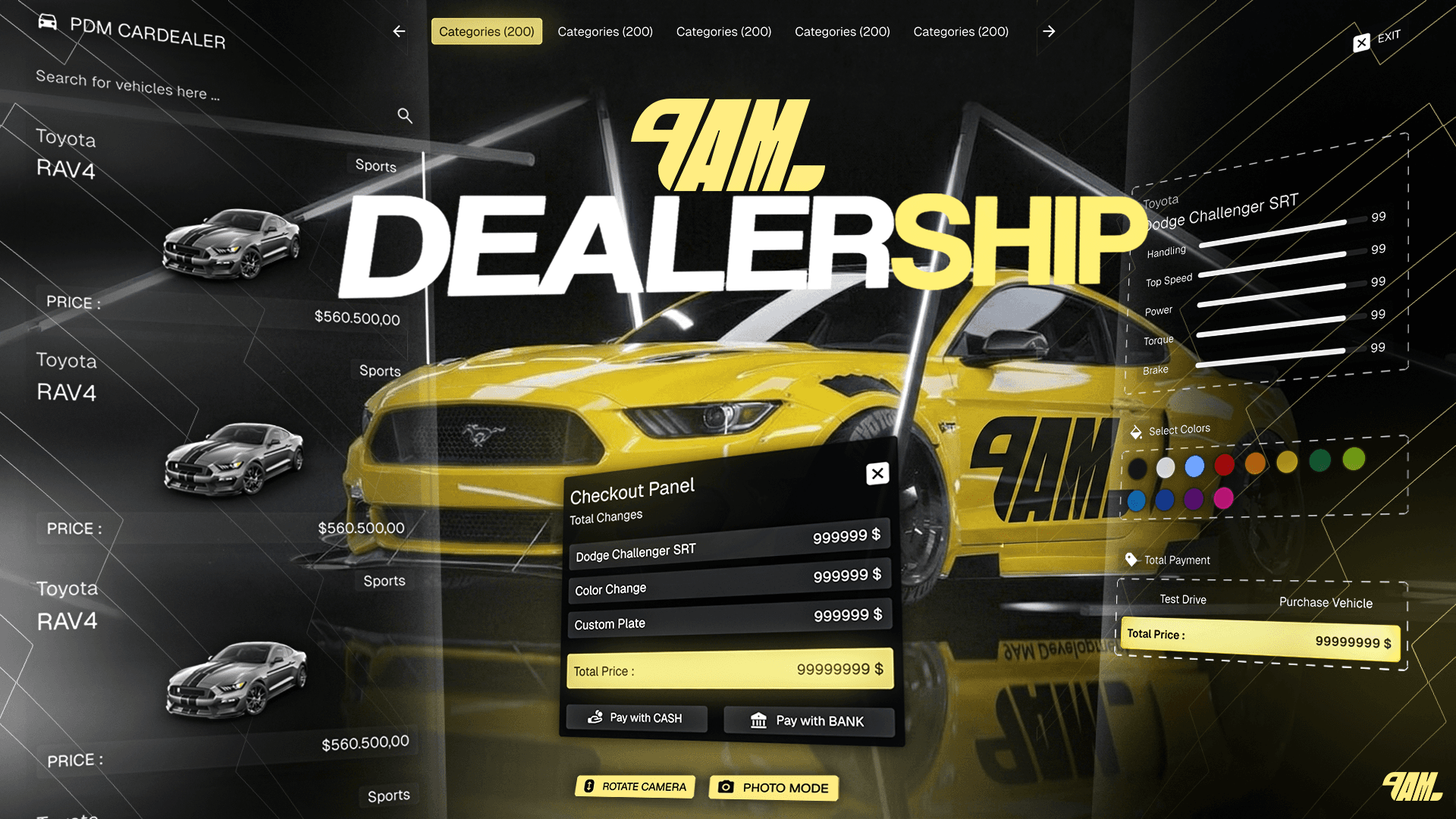
The 9AM Vehicle Shop was designed with exactly this in mind. It supports all three major frameworks (QBCore, ESX, and QBox) with automatic detection at runtime. Beyond just selling cars, it includes a complete employee management system, a finance and loan module, stock ordering with physical delivery missions, coupon codes, sales analytics, and a modern React-based UI that feels polished and responsive.
This guide walks you through the full setup process, from installation to configuration. Config tables and the API live in the dealership docs.
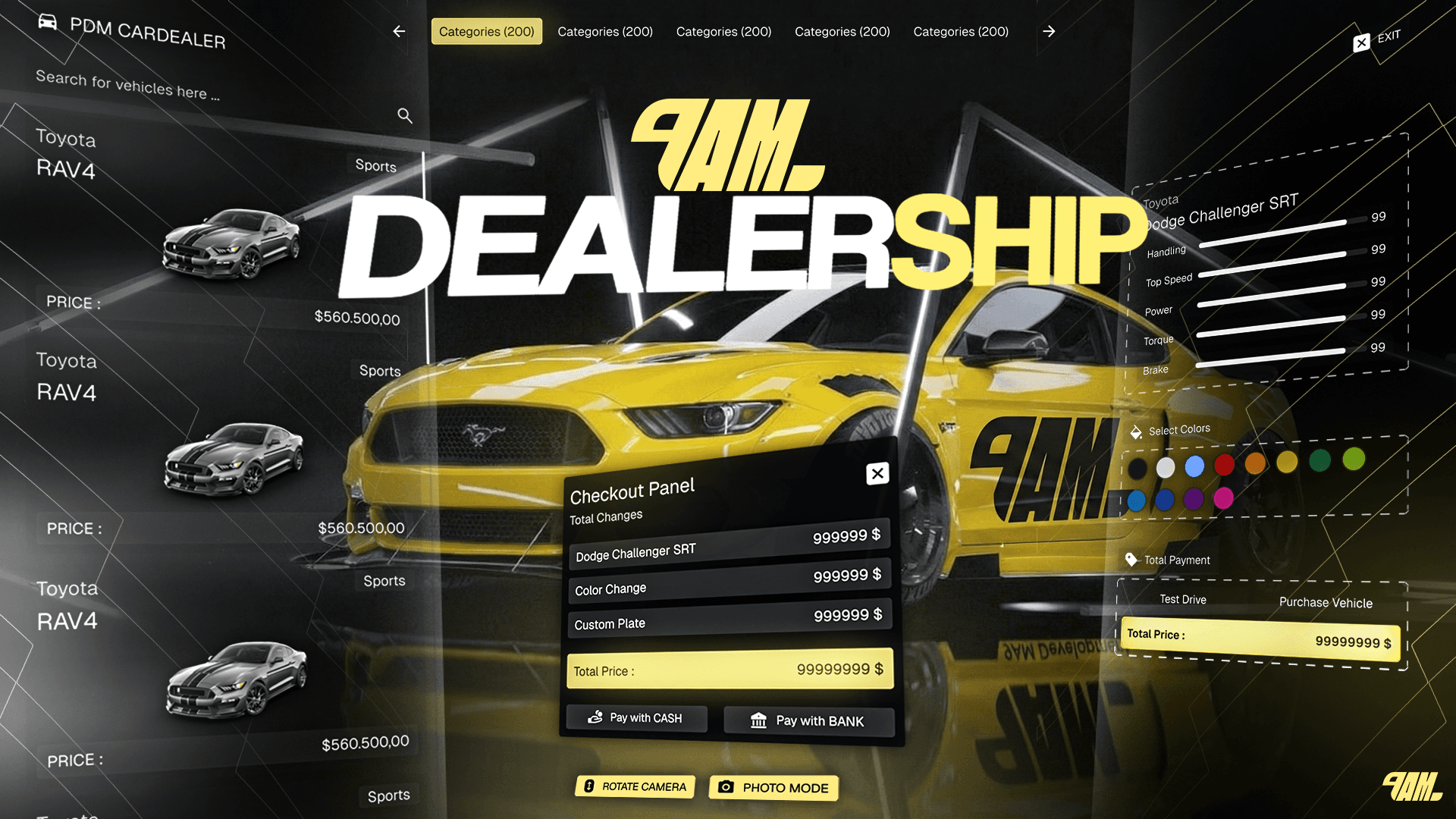
9AM Vehicle Shop — FiveM Dealership Script
Complete dealership experience with finance, employee management, stock delivery missions, and a modern React UI. Auto-detects QBCore, ESX, and QBox.
Requirements and Compatible Third-Party Scripts
Before installing, make sure your server has the following core dependencies:
Required Resources
- ox_lib: Used for UI utilities, callbacks, notifications, zones, and points
- oxmysql: Database driver for all MySQL operations
Supported Frameworks
The script auto-detects your framework at startup. No manual configuration required:
- QBCore (qb-core)
- QBox (qbx_core)
- ESX (es_extended)
Garage System Integrations
Purchased vehicles are sent directly to the player's garage. The following garage scripts are detected automatically in priority order:
- jg-advancedgarages
- cd_garage
- okokGarage
- esx_garage
If none are detected, the script falls back to framework defaults.
Vehicle Keys Compatibility
After purchase, keys are automatically granted through whichever key script your server runs:
- qs-vehiclekeys
- Renewed-Vehiclekeys
- ak47_qb_vehiclekeys
- 0r-vehiclekeys
- MrNewbVehicleKeys
- mk_vehiclekeys
If no third-party key script is found, the framework's native key system is used as a fallback.
Interaction Systems
You can choose how players interact with the dealership NPC. The script supports:
- ox_target / qb-target: Look at the NPC and interact
- Marker mode: Ground marker with an E prompt
- TextUI mode: On-screen text prompt when nearby
- 3D Text mode: Floating text label above the NPC
Step-by-Step Installation
Step 1: Place the Resource
Download the script and extract it into your server's resources/ folder. Name the folder 9am-vehicleshop.
Step 2: Add to Your Server Config
Open your server.cfg and ensure the required resources start before the dealership:
ensure ox_lib
ensure oxmysql
ensure qb-core   # or es_extended / qbx_core
ensure 9am-vehicleshop
Step 3: Database Setup
There are no SQL files to import manually. On first startup, the script automatically creates all necessary tables:
9am_vehicleshop_sales: Purchase records9am_vehicleshop_stock: Vehicle inventory9am_vehicleshop_finance: Active loans9am_vehicleshop_orders: Stock orders9am_vehicleshop_employees: Staff records9am_vehicleshop_coupons: Discount codes9am_vehicleshop_case: Cash register transactions- And several more for analytics, permissions, and settings
Step 4: Create Dealer Jobs
In your framework's job configuration, create the dealer jobs that match your shop config. For example, the default setup expects:
cardealer: For the main PDM car dealershipairdealer: For the aircraft dealership (if configured)
Each job should have at least two grades: one for regular employees and one for boss-level access with full dashboard permissions.
Step 5: Start and Verify
Restart your server. On first boot, watch the console for confirmation:
[9am-vehicleshop] Framework detected: QBCore
[9am-vehicleshop] Garage system detected: cd_garage
[9am-vehicleshop] Database tables created successfully
If you see these messages, the FiveM dealership script is running and ready.
Note for open source users: The frontend comes pre-built in both the escrow and open source versions. If you want to rebuild it after making changes to the UI, run
npm install && npm run buildinside theweb/directory.
Configuration Walkthrough
All configuration lives in shared/config.lua. Here are the key sections worth customizing:
Interaction Mode
Config.InteractionMode = 'textui' -- Options: 'target', 'marker', 'textui', '3dtext'
Choose whichever interaction style matches the rest of your server.
Shop Locations
Each shop is defined with its own NPC location, spawn point, showroom slots, and linked job. You can run multiple independent dealerships. A car lot downtown, a boat dealer at the marina, an aircraft shop at the airport, all from a single resource.
Finance Settings
The built-in loan system is fully configurable:
Config.Finance = {
    minDownPaymentPercent = 0.25,    -- 25% minimum down payment
    interestRate = 0.10,             -- 10% interest on the financed amount
    totalPayments = 12,              -- 12 installments
    paymentIntervalHours = 12,       -- Deducted every 12 real-time hours
    autoDeductFrom = 'bank',         -- Pulls from the player's bank account
}
Test Drives
Config.TestDrive = {
    duration = 60,              -- Seconds per test drive
    cooldownSeconds = 60,       -- Cooldown between drives
    useRoutingBucket = false,   -- Isolate test drives in separate world instances
}
Orders and Delivery
Stock doesn't just appear. Employees can place orders that arrive via a physical delivery mission. A truck spawns at the port with a loaded trailer, and the player drives it back to the dealership to unload. Preparation time, truck models, trailer capacity, and delivery routes are all configurable.
VAT and Commission
Config.GlobalVAT = 0.10         -- 10% tax on all sales
Config.SalesCommission = 0.10   -- 10% commission to the selling employee
Feature Highlights
Beyond the core buying and selling loop, this FiveM dealership script includes systems that add real depth to roleplay:
Employee Dashboard and Analytics. Managers get a full dashboard with sales metrics, revenue charts, visit tracking, and per-employee performance stats. Role-based permissions control who can access stock management, employee hiring, coupon creation, and financial reports.
Coupon and Discount System. Create percentage-based or fixed-amount discount codes. Restrict them to specific vehicle categories, set usage limits, and define validity date ranges. Every redemption is tracked.
Finance and Loan System. Players who can't afford the full price can finance their purchase with a configurable down payment, interest rate, and installment count. Payments are automatically deducted from the player's bank account on a real-time interval. Missed payments and loan history are tracked in the dashboard.
Stock Delivery Missions. When new inventory is ordered, it doesn't just appear in the system. An employee picks up a Phantom truck at the port, hooks up a loaded trailer, and drives it to the dealership. Two trailer types handle different vehicle sizes. It turns restocking into actual gameplay.
3D Vehicle Preview. Before purchasing, players can preview any vehicle in a 3D showroom with selectable colors. The showroom supports up to four display vehicles with spec info stands showing speed, acceleration, braking, and handling ratings.
Sale Signatures and Audit Trail. Every transaction is recorded with buyer info, seller attribution, timestamps, and a digital signature. This creates a full audit trail for dealership management.
Get Started
The 9AM Vehicle Shop is available now at 9am.dev. It's built for servers that want more than a basic car menu. A complete dealership experience with the features and polish that players notice. Compatible with QBCore, ESX, and QBox out of the box.
Browse the full feature list and grab the script at 9am.dev.
9AM Vehicle Shop — FiveM Dealership Script
Complete dealership experience with finance, employee management, stock delivery missions, and a modern React UI. Auto-detects QBCore, ESX, and QBox.